
Download SES Type – typing, keyboard, accuracy, exercises, practice, speed, real-time stats, Windows, free, tool, utility, productivity, improve, learn, software
Overview
SES Type is a specialized productivity tool designed to enhance typing proficiency by prioritizing accuracy over speed. Developed by SES Software, this application offers a structured learning environment through a curated collection of over 1200 short exercises. These exercises are carefully sequenced to introduce keyboard keys incrementally, allowing users to build foundational typing skills without cognitive overload. The app is particularly suited for individuals seeking to improve their document quality through precise keystrokes, making it valuable for students, office professionals, and anyone who relies on consistent keyboard input.
While the app’s focus is on accuracy, it also tracks typing speed and provides real-time statistics, enabling users to monitor progress and set measurable goals. This dual emphasis on precision and performance makes SES Type a balanced tool for skill development. The application was released in 2003, reflecting its long-standing presence in the productivity software space. Despite its age, its compatibility with older Windows versions suggests a design philosophy centered on accessibility and minimal system requirements.
Although the developer did not provide additional technical details about the app’s architecture or backend processes, its continued relevance indicates a stable and functional core. The app serves as a utility for users who prefer a no-frills, focused approach to typing practice. Its free availability further enhances its accessibility, making it a practical choice for learners across various age groups and experience levels.
Key Features & Functionality
- Extensive Exercise Library: With over 1200 short exercises, SES Type provides a robust foundation for keyboard mastery. Each exercise is designed to introduce a small set of keys, ensuring users gradually build confidence and muscle memory without feeling overwhelmed.
- Focus on Accuracy: Unlike many typing programs that emphasize speed, SES Type prioritizes precision. This approach helps users develop consistent, error-free typing habits, which is essential for academic and professional writing.
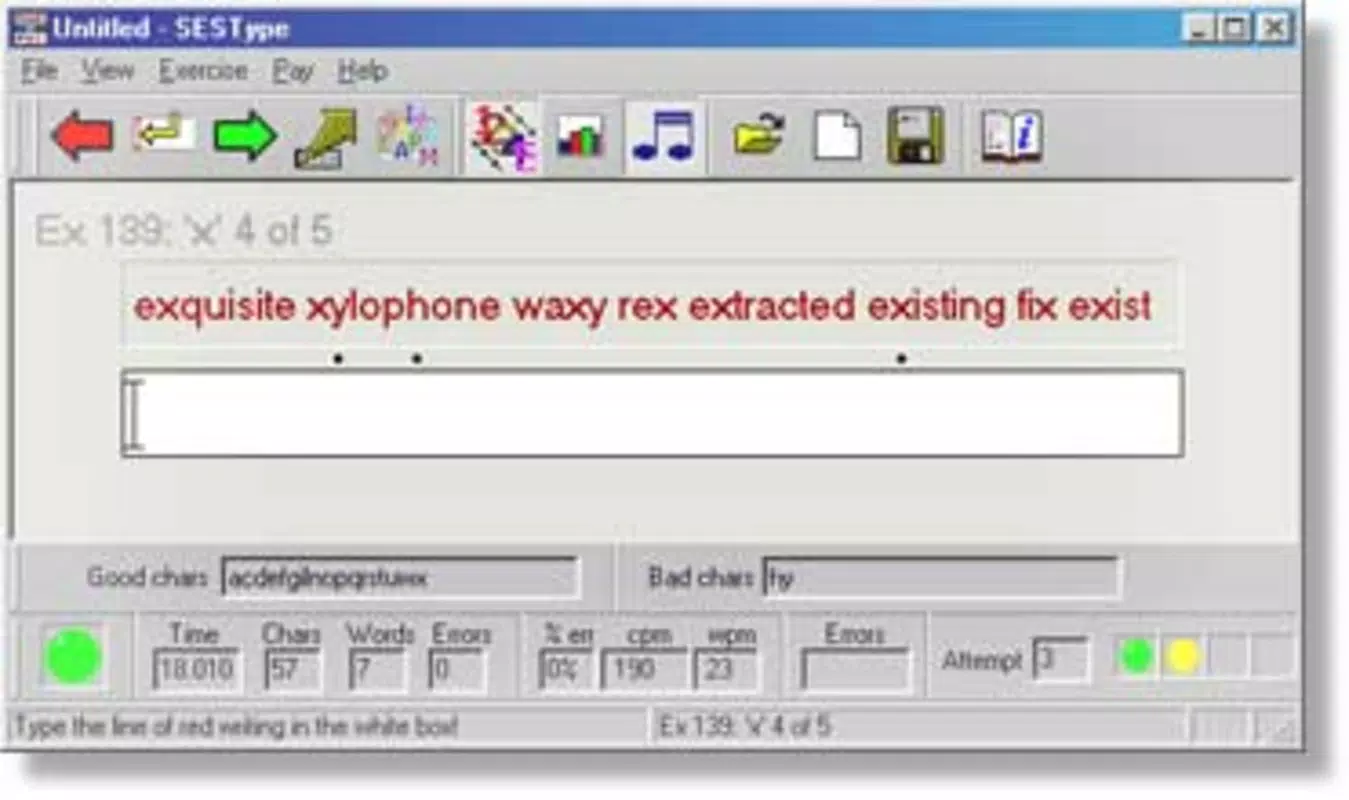
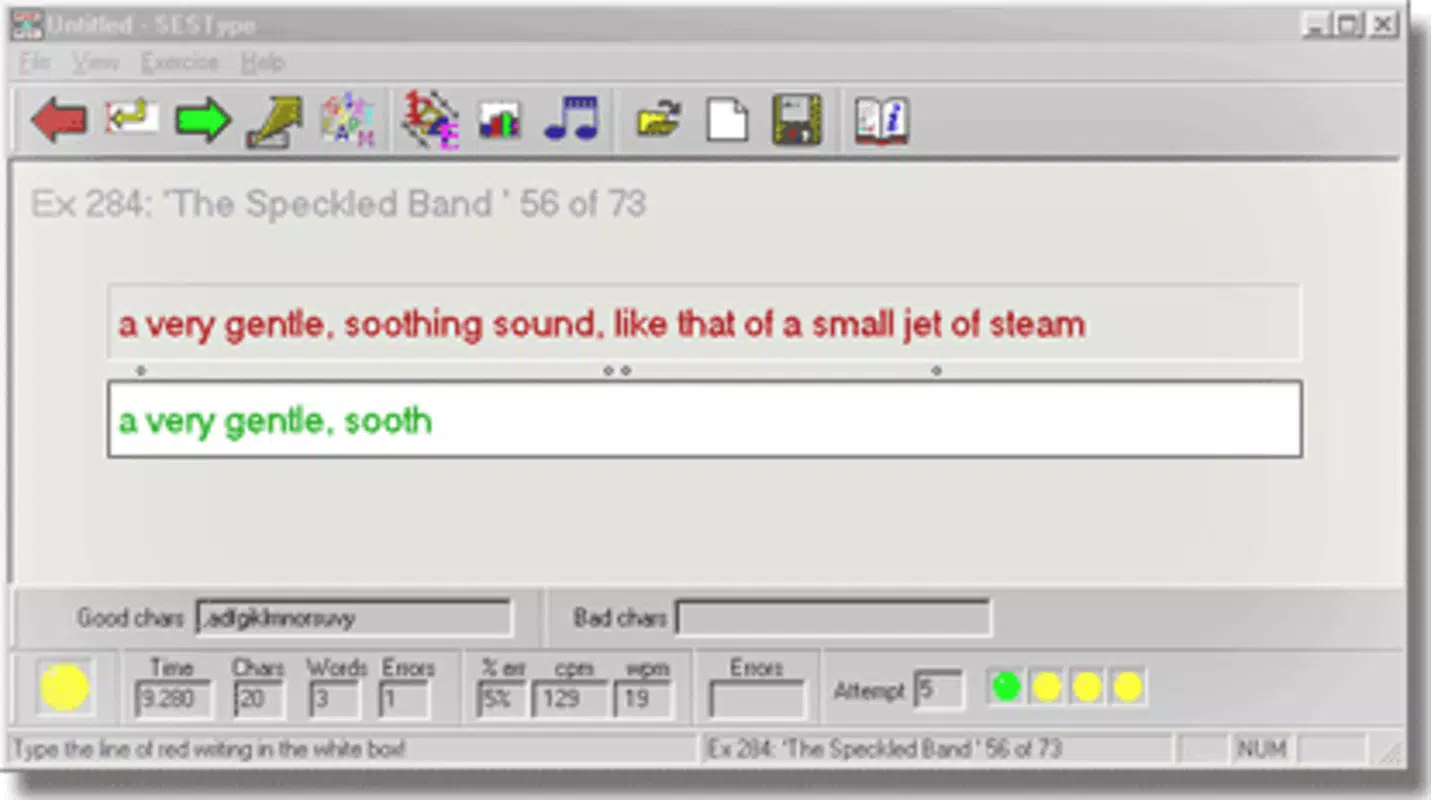
- Real-Time Performance Tracking: The app displays live statistics for both accuracy and speed, allowing users to observe their progress during each session. This immediate feedback supports self-assessment and goal setting.
- User-Friendly Interface: The interface is designed to be intuitive and easy to navigate, minimizing the learning curve for new users. This simplicity ensures that users can focus on typing practice rather than mastering complex controls.
- Compatibility with Older Windows Versions: SES Type is compatible with Windows 95, 98, ME, NT, and 2000. This broad compatibility allows users with legacy systems to benefit from the app without requiring modern hardware.
For example, a student preparing for exams might use the app daily to reduce typos in written assignments. A professional handling sensitive documents could leverage the accuracy-focused training to minimize errors in reports. The structured progression of exercises ensures that users are consistently challenged at an appropriate level, promoting steady improvement over time.
Interface, UX & Performance
SES Type features a clean, minimal interface that prioritizes functionality over visual flair. The layout is straightforward, with exercises presented in a sequential format that guides users through each typing task. Navigation is intuitive, relying on simple controls that require no prior experience with similar software. This design ensures that users of all ages and technical backgrounds can engage with the app without confusion.
Although the developer did not list formal performance metrics, the app’s small file size of 1.5 MB suggests efficient resource usage. It is likely optimized for low-end systems, which aligns with its compatibility with older Windows operating systems. The application runs without noticeable lag on supported platforms, indicating stable performance under typical use conditions.
Responsiveness is consistent across sessions, with minimal delay between keystrokes and feedback. The real-time statistics update smoothly, allowing users to monitor their performance without interruptions. Stability appears to be well-maintained, given the app’s long availability since 2003. While no recent updates have been released, the absence of reported bugs suggests a reliable core functionality.
Platform Compatibility & Technical Requirements
SES Type is designed for the Windows platform and is compatible with multiple older operating systems, including Windows 95, 98, ME, NT, and 2000. The app has a file size of 1.5 MB, making it lightweight and suitable for systems with limited storage capacity. The developer did not specify minimum OS requirements or hardware specifications beyond the listed versions.
Given the release date of 2003, the app was developed during a time when system resources were more constrained. This context explains its low footprint and compatibility with legacy systems. While no information was provided about support for modern Windows versions such as 10 or 11, users with older machines may still find the app functional.
The developer did not disclose any additional technical requirements, such as processor speed or RAM. Users are advised to test the application on their system to confirm compatibility. The app is available at no cost, which enhances its accessibility for individuals using outdated hardware.
Pros and Cons
Pros
- Free to download and use, making it accessible to a wide audience.
- Small file size of 1.5 MB ensures minimal storage impact.
- Focus on accuracy helps build error-free typing habits.
- Extensive library of 1200+ exercises supports progressive learning.
- Compatible with older Windows versions, ideal for legacy systems.
Cons
- No information was provided about support for modern Windows versions.
- Developer did not list formal performance or system requirements.
- Interface is minimal, which may feel outdated to newer users.
- App has not been updated since 2003, raising concerns about long-term compatibility.
- Specific requirements for installation or operation were not disclosed.
FAQ
Is SES Type safe to download and install?
Yes, SES Type is a free utility that has been available since 2003. While no recent security audits have been published, its long-standing presence and small file size suggest a low risk of malicious content. Users should download from trusted sources to ensure authenticity.
Can I use SES Type on Windows 10 or 11?
The developer did not confirm compatibility with Windows 10 or 11. The app is officially listed as compatible with older versions including Windows 95 through 2000. Users are advised to test the application on their system to verify functionality.
Does SES Type require an internet connection?
No, SES Type operates offline. All exercises and performance tracking are handled locally, making it suitable for use in environments without internet access.
How often should I use SES Type to see improvement?
Consistent daily practice, even for short sessions, can lead to noticeable improvement over time. The app’s structured exercises are designed for incremental learning, so regular use is recommended for optimal results.
Is SES Type suitable for beginners?
Yes, the app is well-suited for beginners. Its gradual introduction of keyboard keys and focus on accuracy make it an effective tool for those new to typing. The user-friendly interface further reduces the barrier to entry.
Final Thoughts
SES Type stands out as a focused, no-frills tool for improving typing accuracy through structured practice. Its extensive library of over 1200 exercises, real-time performance tracking, and compatibility with older Windows systems make it a practical choice for users with legacy hardware or those seeking a simple, effective learning experience. While the app has not been updated since 2003 and lacks modern features, its core functionality remains intact and valuable.
For students, professionals, and anyone aiming to produce error-free documents, SES Type offers a reliable path to better typing habits. Its free status and minimal system requirements enhance its accessibility. Despite its age, the app continues to serve its purpose effectively in the productivity software ecosystem.
Download SES Type now


